
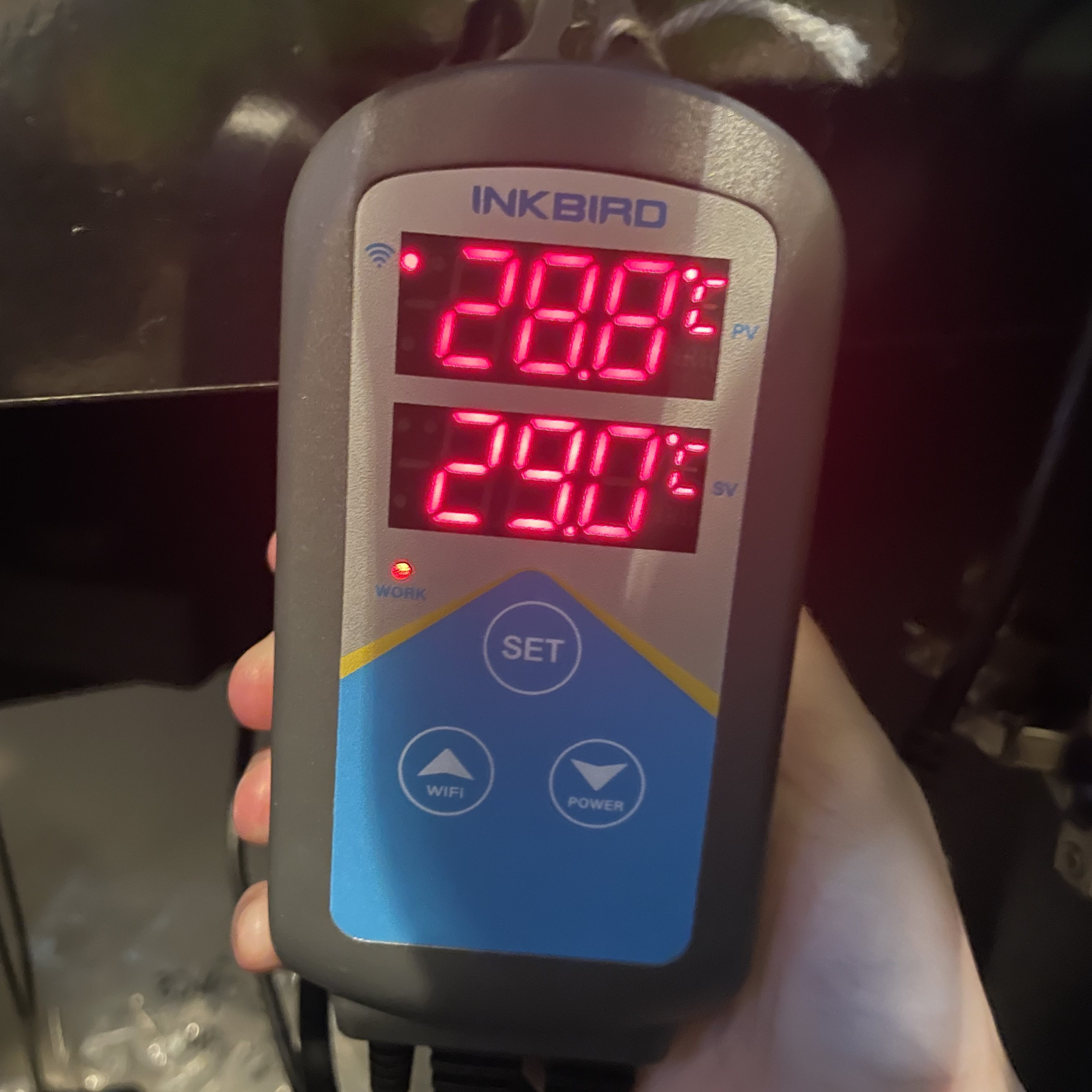
INKBIRD is a brand that produces external thermostat, these are units that regulate the temperature change provided by a heating unit. Without a thermostat the heater will not switch off at the desired temperature or switch on when the temperature is too low. Many heaters contain their own ones but very frequently they do malfunction, these external units are more reliable. Some heaters do not have an internal thermostat such as many titanium products so would require an external thermostat to avoid overheating the tank.
There aren’t many external thermostats on the market other than INKBIRD’s temperature controllers. I will be discussing the INKBIRD ITC-306A as this is the one I currently use and it has all of the features I discuss. These external thermostats by INKBIRD are also unique as being controlled via an app that you can view/control remotely so any issues with temperature can be controlled wherever you are. The reptile hobby does have a wider range of thermostats but the probes used to measure the temperature are often not waterproof and do not have an app to control the temperatures.
Generally the majority of people set their external thermostats as the only thermostat with the heater unit itself at a much higher temperature. Personally I prefer to use both as a fail safe, so the heaters are only setup above that of the INKBIRD temperature controller but within a tolerable range for the fishes. So my desired range is 28.5-29c, it’s what I set the INKBIRD temperature controllers to but I set the heaters to around 32c which is tolerable for the fishes.
The other benefit is these are connected to WIFI and therefore can be controlled from my phone. On top of that it will send push alerts for any issues and if I notice that the units are disconnected it could hint to a power or wifi outage.
These thermostats do not require only to be controlled via your phone but also can be used manually if that is preferred. It also means they will stay running during any WIFI or power outage. The temperature history also allows for you to loosely track how long it takes to heat the tank and also if and when there was any power outages.
One feature that is not really discussed much within fishkeeping is due to the app’s record of temperature changes and the long heating alarm you can identify how the heaters are managing to heat up the tank. Aquarium heaters usually don’t last more then a few years and over time particularly at higher temperatures they struggle to reach the desired temperature or reach that temperature rapidly. You can identify this with the heating record as the heaters take longer to heat the tank or the long heating alarm will set off after a desired amount of time, I usually go for around 24 hours as if a heater takes longer then that I need to replace it.
All alarms can also be switched off remotely which is great!
Review/opinion:
I have two INKBIRD temperature controllers myself and have done since 2021, they have proven reliable to me and a necessary part of my aquariums since having heaters fail in the past. They are really good and reliable units, setting them up is quick and they have a memory so you don’t need to change any settings every time you attach your app to each unit. Where I do keep fishes that require 28c I think it puts a lot of pressure on most heaters so the INKBIRD thermostats really help here. I have had heaters overheat a tank before or just stop working so without an INKBIRD I had no idea till I checked the thermometer. Since having the INKBIRD temperature controllers they are a much more reliable method of controlling the temperature. The thermostat allows for two heaters to be attached meaning it doesn’t take as long to reach the desired temperature. I really find the app useful as well, anything remote saves me worrying about my fishes.
Setting up your INKBIRD
Step 1: Download the INKBIRD app on the Apple App store or what is required for Android.
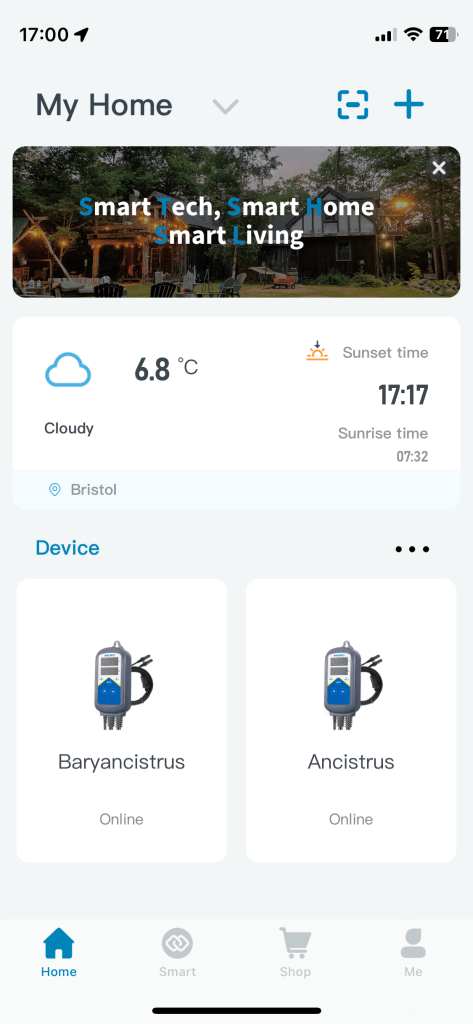
Step 2: Your home screen should look similar to this without any INKBIRD temperature controllers setup. Click on the Plus Icon.
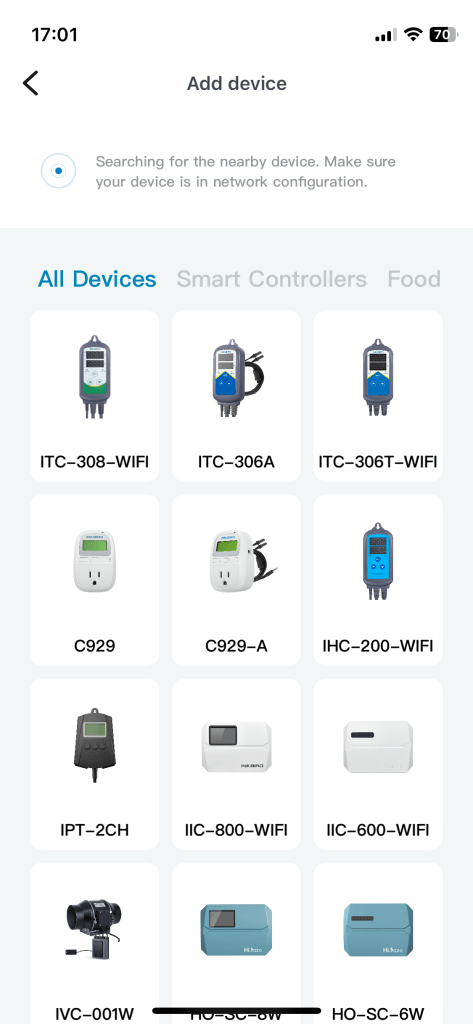
Step 2: Choose the product you have, here the INKBIRD-306A.
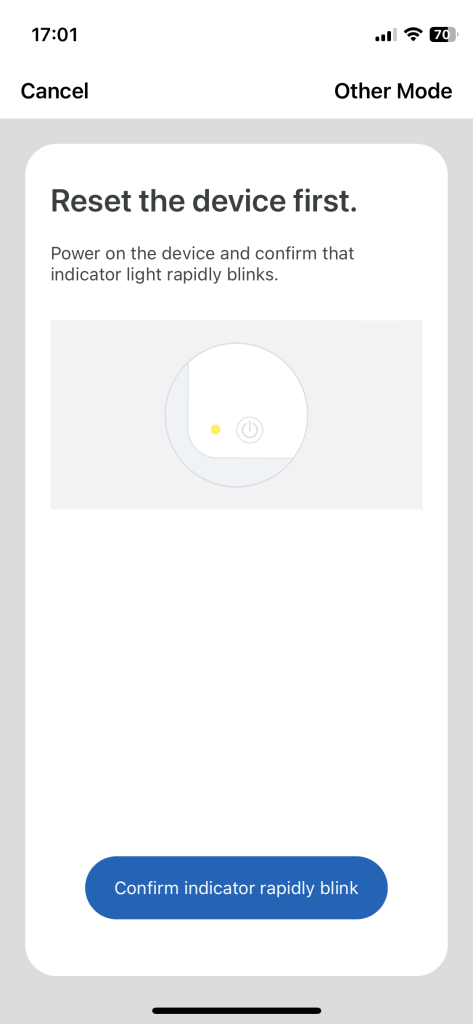
Step 3: Choose the mode. I find AP mode the easiest, it might not be automatically set to that so press the other mode option to select it.
Step 4: Press the WIFI button on the INKBIRD until the light on the unit blinks slowly. This might take several goes.
Step 5: The INKBIRD will then require your WIFI including password of which needs filling in.
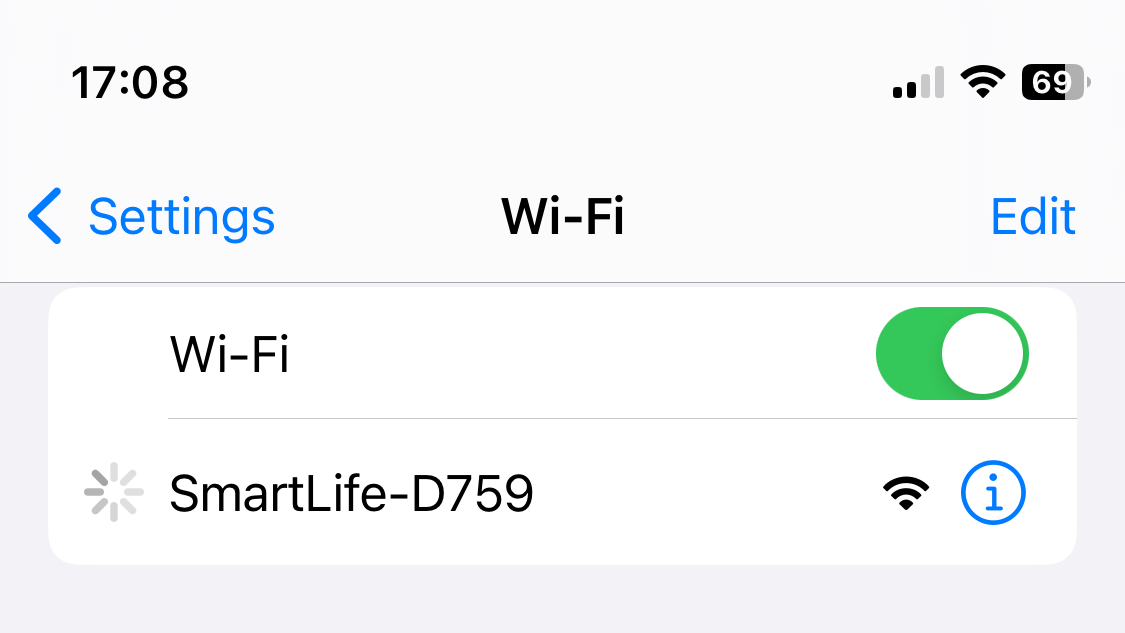
Step 6: It will request for you to join the network that is provided by the INKBIRD unit. Go onto your WIFI settings and join that network.
Step 7: Press connect.
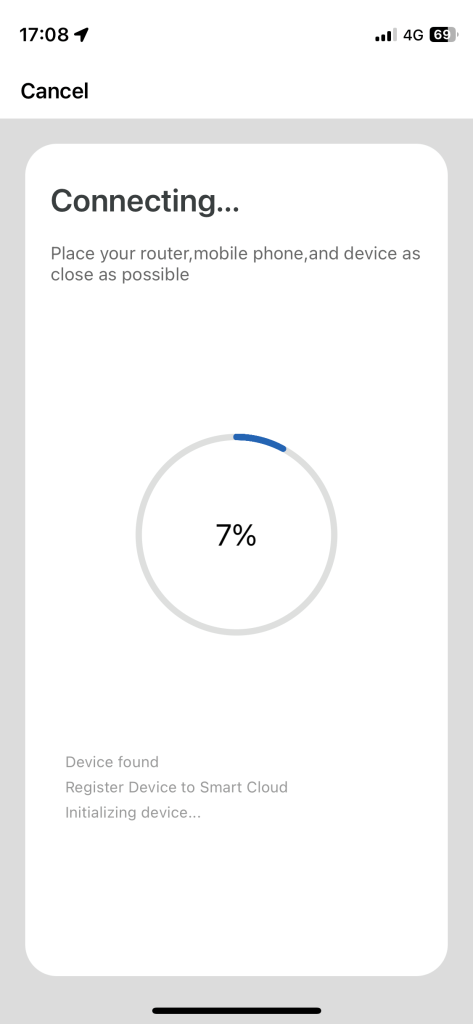
Step 8: It will then connect which can take time, keep the phone close to the INKBIRD unit while connecting.
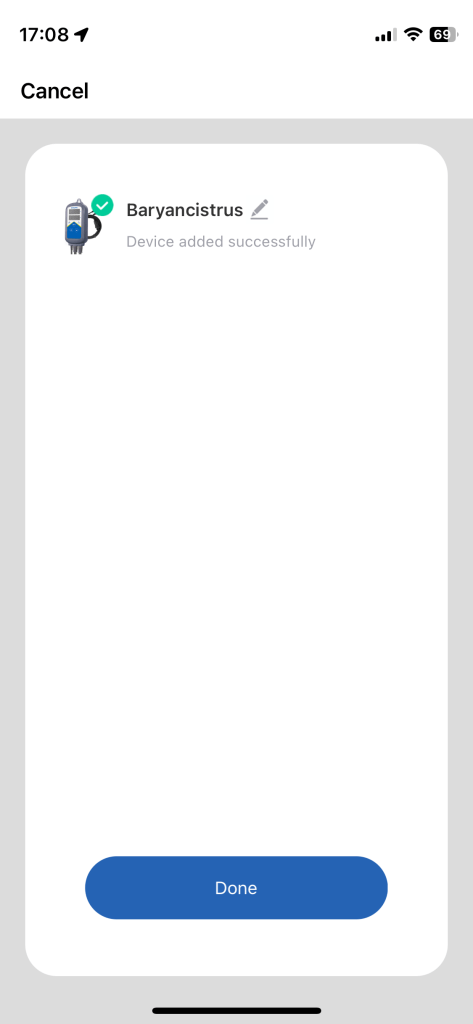
Step 9: All connected, you can name the unit.
Running an INKBIRD
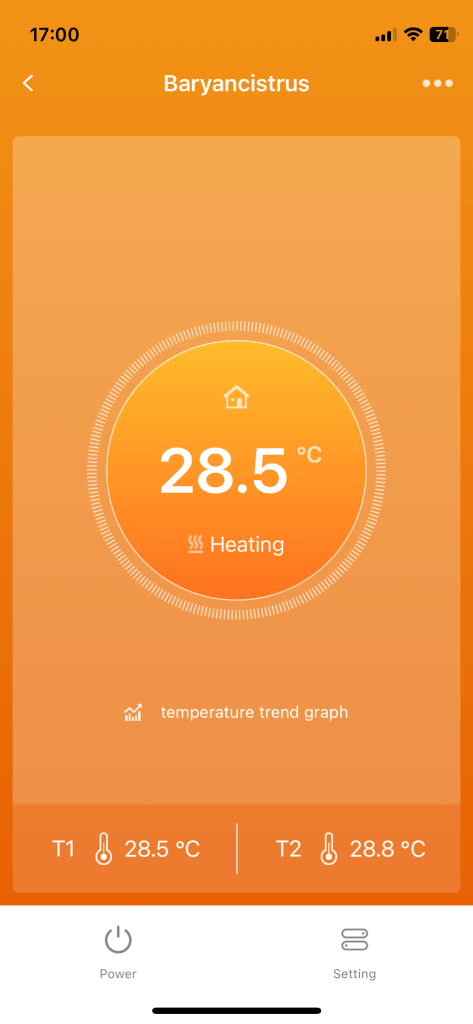
This is the main screen, it has several updates so hadn’t always looked like this. It should be pretty self explanatory how to use.
The central value is the temperature where it will tell you if the heaters are providing heat or not. This screen is also where any warnings will appear such as low temperature, wide temperature range between probes etc.
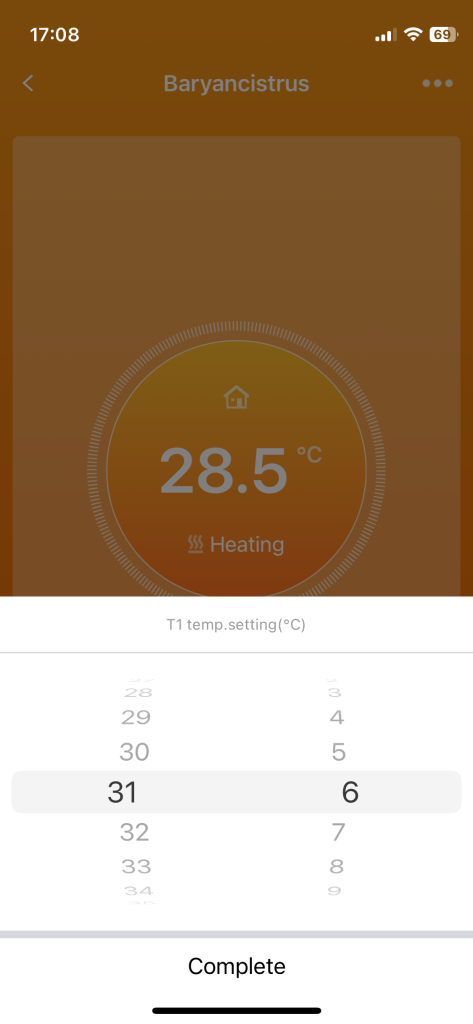
You can select temperature by pressing on that range T1-T2.
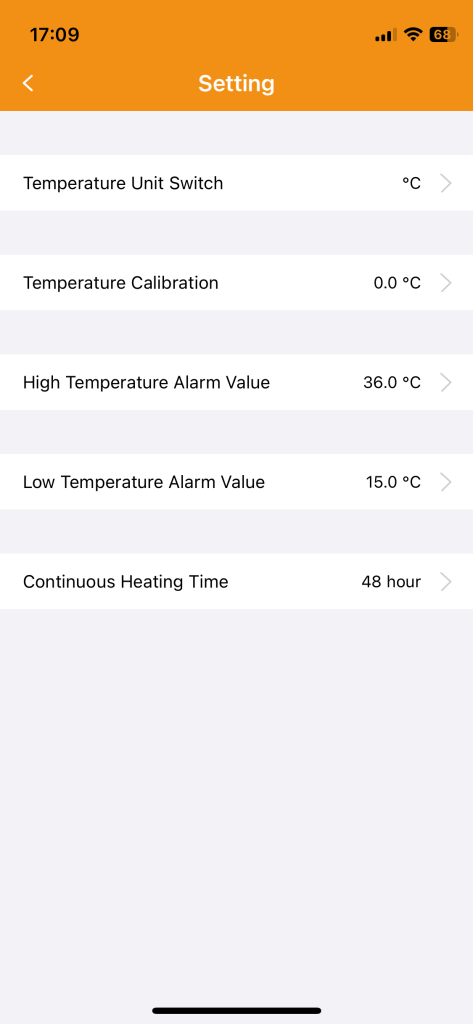
Under settings you will find this screen, this is where you can select alarms. I have mine currently at around 26c so I know if the temperature drops below the tolerable range for my fishes long term. Heating time might also be worth considering, it’ll produce an alarm if too long so consider how long after a water change the aquarium takes to reach it’s desired temperature.
 The Scientific Fishkeeper